What the filter does
Every check one check two video is the same 9-second take: a crowd on a street at night, then one person shoves their face into the lens and raps the “check one, check two” bars like they mean it. The joke is who that person is — a toddler, a mum, a TV presenter, your mate. The bars are widely credited to JME; more in the check one check two song guide.
Beat by beat
| Time | Still | What happens |
|---|---|---|
| 0:00 | 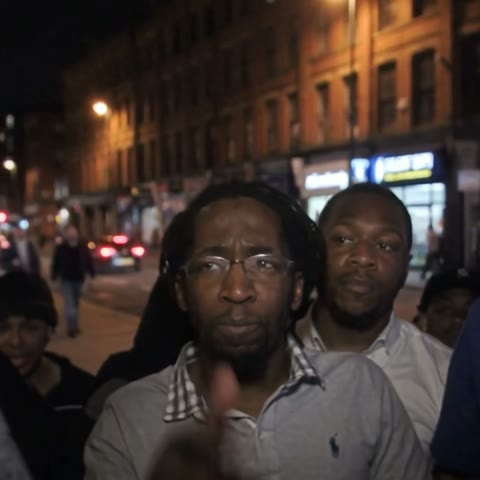 | The crowd. Night on the street, a crowd packed in under the lights. Someone's filming. |
| 0:01 | 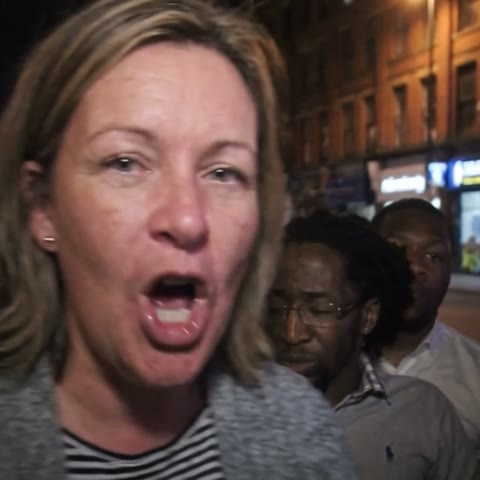 | Push in. You shove your face right up to the lens and take over the shot. |
| 0:03 | 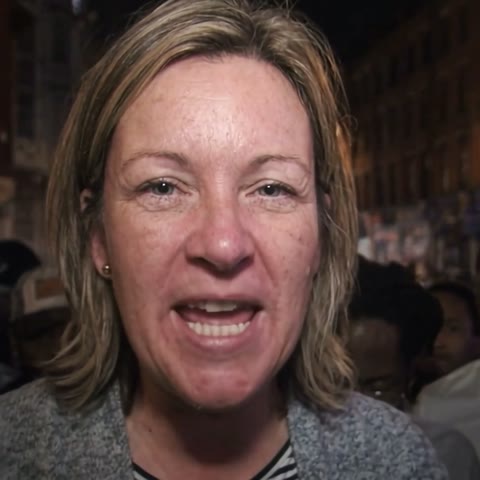 | Check one. The first bars, straight down the camera — brows down, no smile. |
| 0:05 | 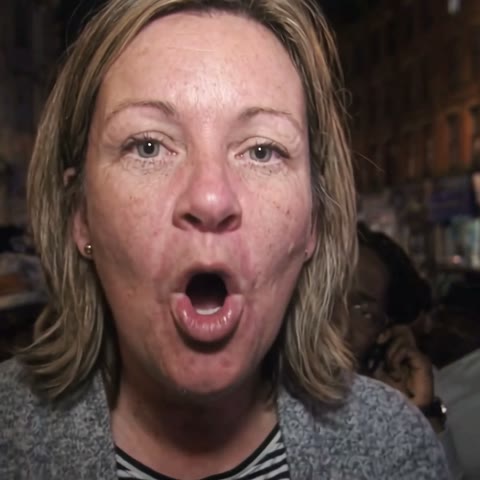 | Hold tight. Bar after bar, mouth on every word, the crowd behind you. |
| 0:08 | 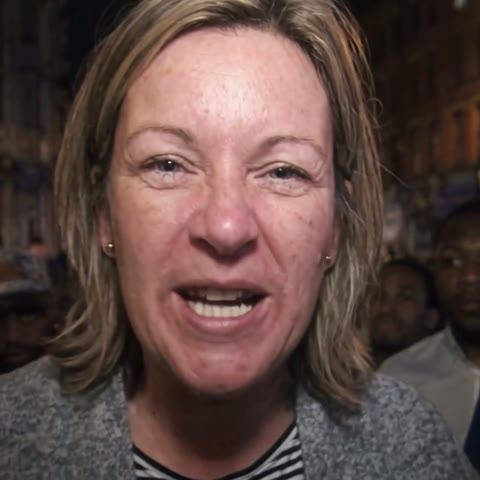 | Last bar. Teeth out, still staring down the lens as it cuts. |
How to do it without CapCut (one photo)
- Pick one clear photo. One person, face sharp and looking at the camera — a phone selfie is fine.
- Upload it and pay once. Upload the photo on the Check One Check Two AI homepage and choose a pack, from $7.99. No app, no account, no subscription.
- Get your video. The person in your photo pushes up to the camera on a night street and raps the whole 9.4-second take. Usually ready in about 6 minutes; we email you the link.
- Post it with the sound. Download the 9:16 video and add the sound in TikTok. In TikTok tap "Add sound" and pick the 9-second check one check two sound ("original sound – FIFI MFC VRFS") — it starts on the first bar, so it lines up from 0:00. Got the longer 28-second freestyle sound instead? Drag its start to 0:03.
How to use the CapCut template
- On TikTok, open a check one check two post and tap the "CapCut · Try this template" link above the caption — or search "JME Rap check 1 check 2" in CapCut's Templates tab.
- Tap "Use template", allow photo access and pick one photo with one clear face.
- Wait for it to process, then export. The video lands in your camera roll with the sound already on it.
- Post it. The export keeps a small "Ai" tag, and the template's title shows for the first few seconds.
CapCut template or one photo?
| CapCut template | Check One Check Two AI | |
|---|---|---|
| Setup | Install CapCut, find the template (if it's up in your region) | Upload one photo in any browser |
| On the video | “Ai” tag and title text | Nothing — no tag, no watermark |
| Files | One 9:16 export with the sound | 9:16 for TikTok and Reels + the square original, silent — add the sound when you post |
| If it misses | Try another photo | Tap “Needs work” — a person replies within a day |
| Price | Free | From $7.99, one-time |
Which photo works best
- One person, face clear and looking at the camera — a selfie works
- No sunglasses, mask or hair over the eyes; no heavy filters
- A straight face looks fiercest, but smiling photos work too
- Only photos of yourself or people who agreed — no public figures
Adding the sound
Your video is silent on purpose — we don't ship the recording. In TikTok tap "Add sound" and pick the 9-second check one check two sound ("original sound – FIFI MFC VRFS") — it starts on the first bar, so it lines up from 0:00. Got the longer 28-second freestyle sound instead? Drag its start to 0:03. Open the 9-second sound on TikTok.